
06Case study
Expo
Table ordering and a kitchen screen that talk to each other.
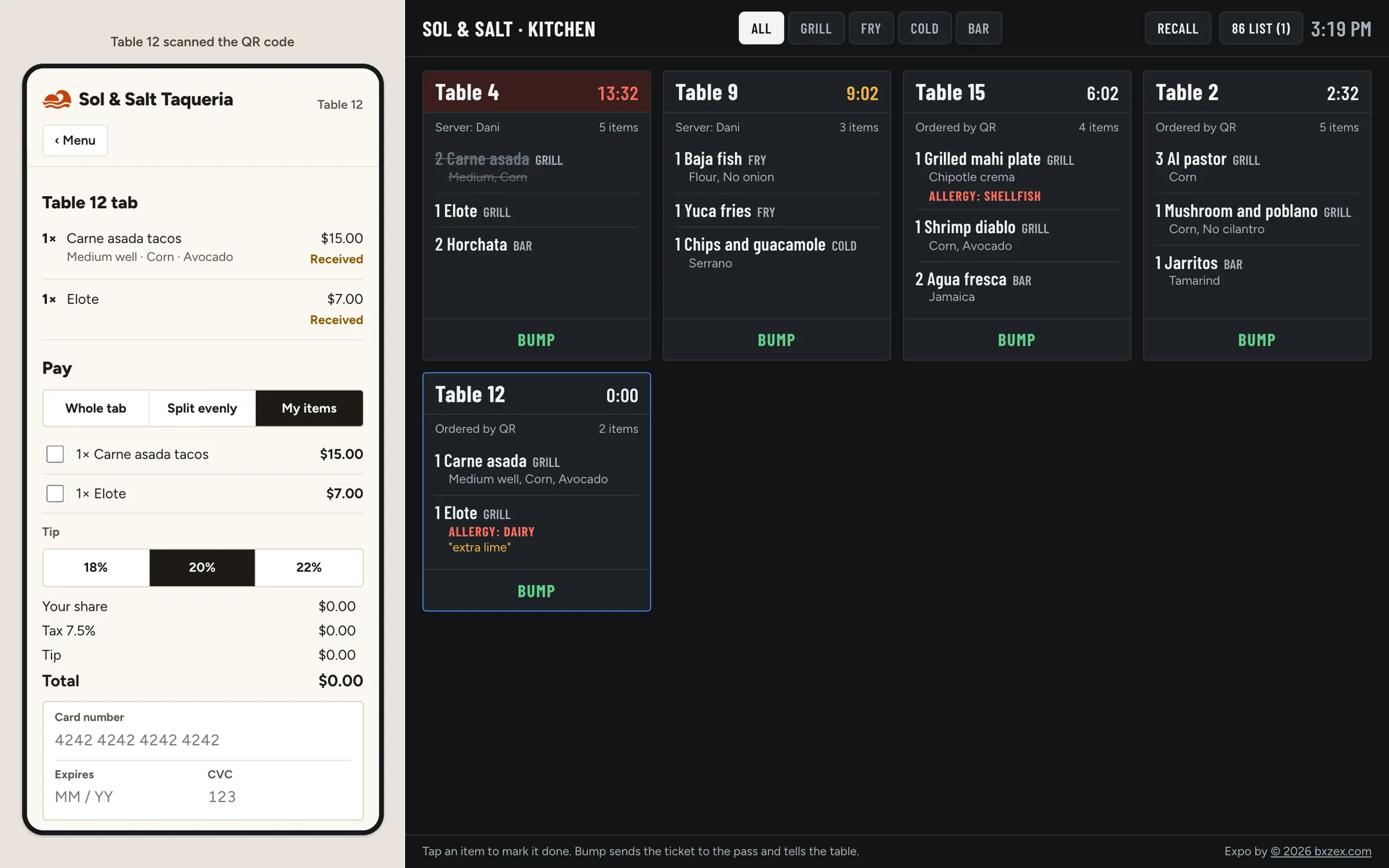
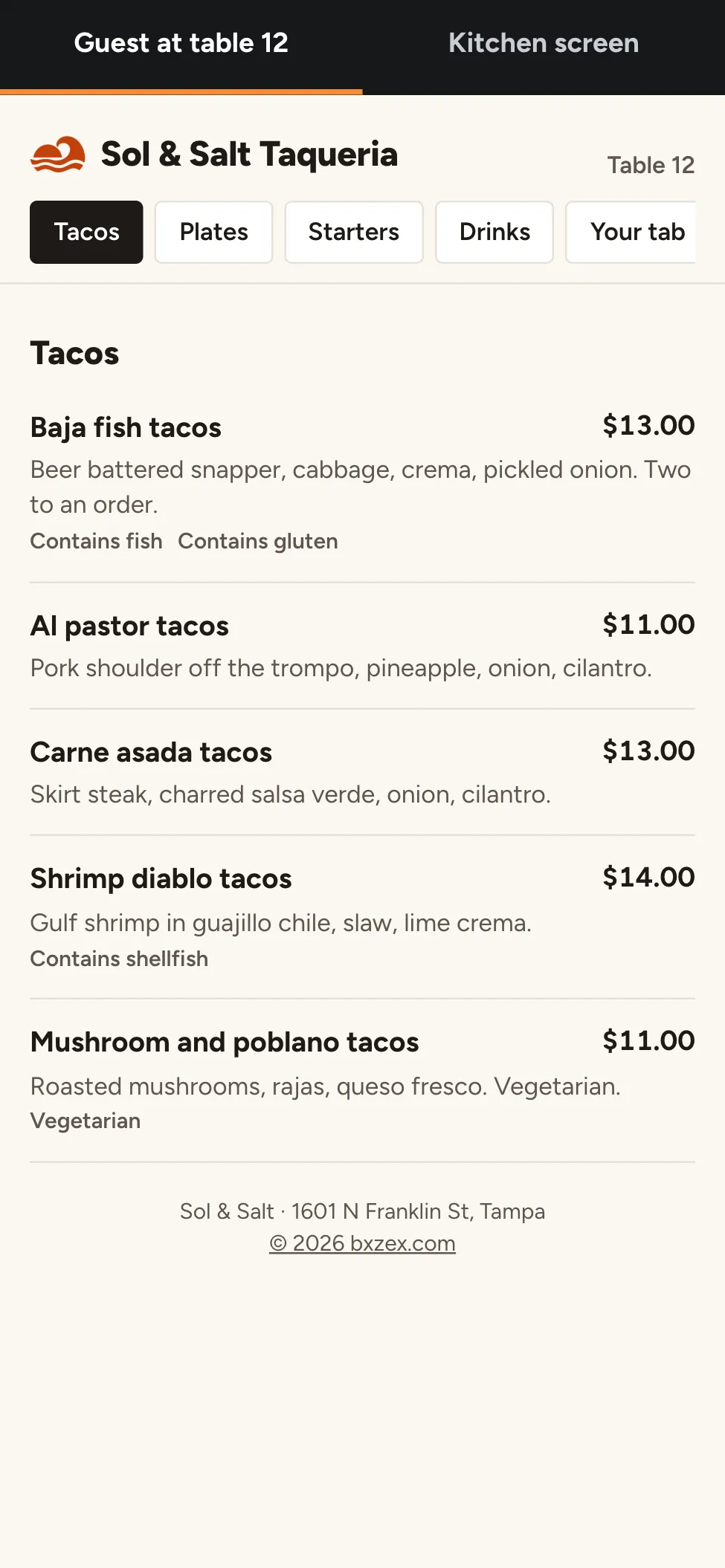
Expo is our ordering system for restaurants, shown here with a sample taqueria in Tampa. A guest scans the code on the table, orders on their phone with the choices the kitchen needs, and pays their share when they are ready. The order lands on the kitchen screen by station, with a timer, and the table can see when their food is on its way.
01Why we built it
Delivery apps take a large share of every order, and paper tickets get lost or misread on a busy night.
We wanted the guest's order to reach the cook exactly as they meant it, and the kitchen's state to reach the guest without anyone walking back and forth.
02The hard parts
Orders the kitchen can cook
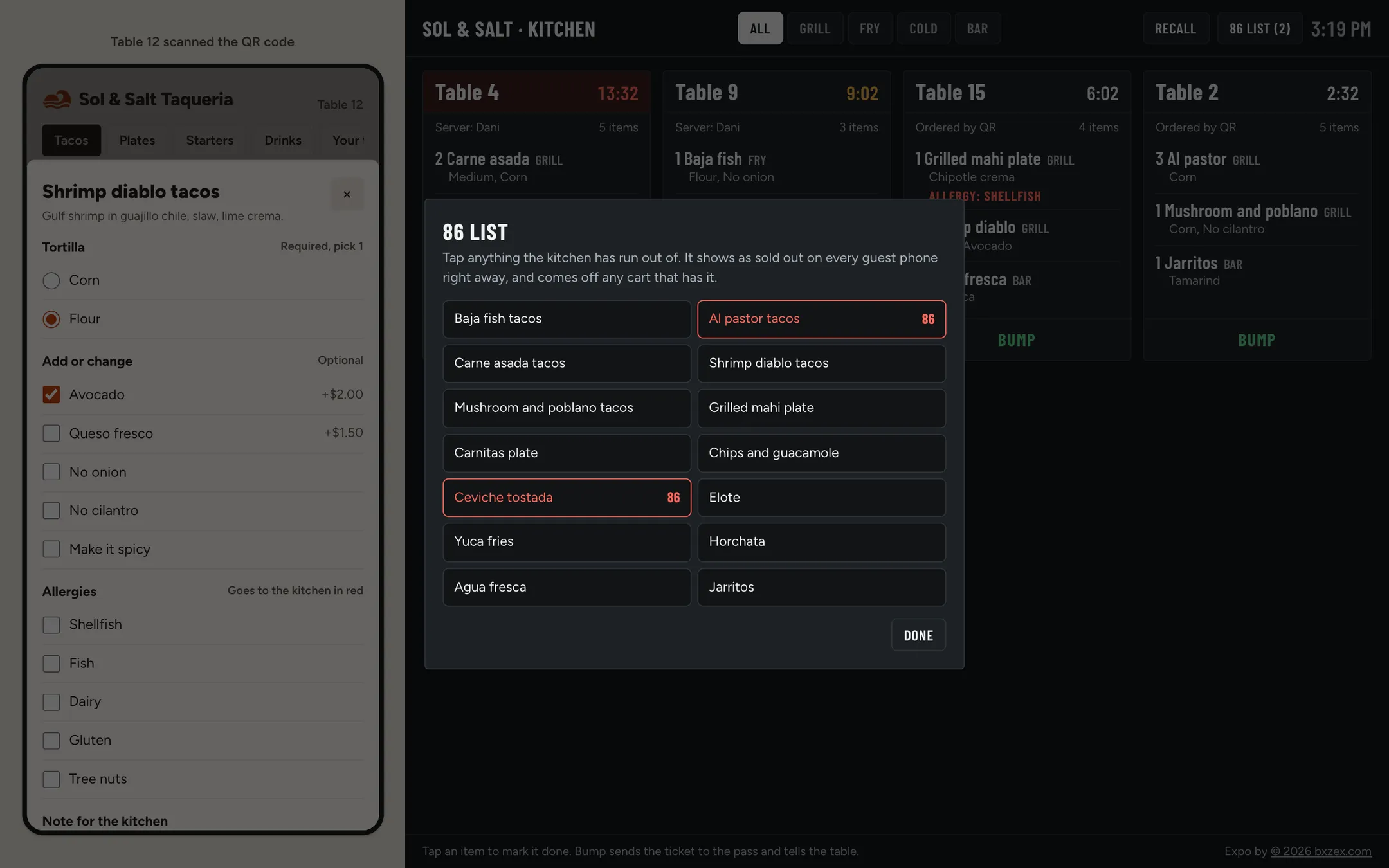
Required choices like steak temperature and tortilla have to be picked before an item goes in the cart. Add-ons carry their price, and notes stay short.
Allergies that cannot be missed
Allergies print in red on the ticket. If a guest flags an allergy to something the dish is made with, the page tells them before they order.
A screen for each station
The kitchen can show all tickets, or only grill, fry, cold or bar items. Timers turn amber at 8 minutes and red at 12. Tap an item when it is done, bump the ticket when it goes to the pass, and recall it if that was a mistake.
86 in one tap
When the kitchen runs out, one tap marks the item sold out on every guest phone and takes it out of any cart that has it, with a message saying why.
Splitting the check
Each person can pay for their own items, split the tab evenly, or pay the lot, with tax and tip worked out on their share.
03How it is built
Guest and kitchen share one order book
The guest page and the kitchen screen read the same orders. Open the kitchen in a second tab and an order from the phone appears there at once.
Made for a kitchen
Large condensed type, dark background, and touch targets sized for a screen on the wall that people tap with wet hands.
★The result
Orders arrive as the guest meant them, and the guest knows when the food is coming.
The demo opens on a busy lunch with tickets already on the screen. Order from the phone, then cook it, bump it and pay for it.
For a restaurant, the menu, stations, timers, tax and tips are theirs, and the payments go to their own account.
Running a restaurant?
We can build ordering around your menu and your kitchen, without a percentage taken from every order. The first call is 15 minutes and costs nothing.